
Globe eSIM Activation for Expats and Travelers
If you’re an expat or a traveler in the Philippines, activating a Globe eSIM is a convenient way to stay connected without dealing with physical SIM cards. This guide explains how to activate your Globe eSIM, register it properly, and troubleshoot common issues.
What is a Globe eSIM?
An eSIM (embedded SIM) is a digital SIM card built into your phone. It allows you to connect to Globe’s mobile network without inserting a physical SIM.
Benefits for Expats and Travelers
Instant activation via QR code
Multiple profiles on one device
Travel-friendly — no need to swap SIM cards
Easy to top up and manage using the GlobeOne app
Who Can Use a Globe eSIM?
Expats
Residents living in the Philippines temporarily or long-term
Can convert existing physical SIMs to eSIM
Can register a new prepaid or postpaid eSIM
Travelers
Short-term visitors or tourists
Can buy prepaid traveler eSIM packages
No local address is required; passport verification is sufficient
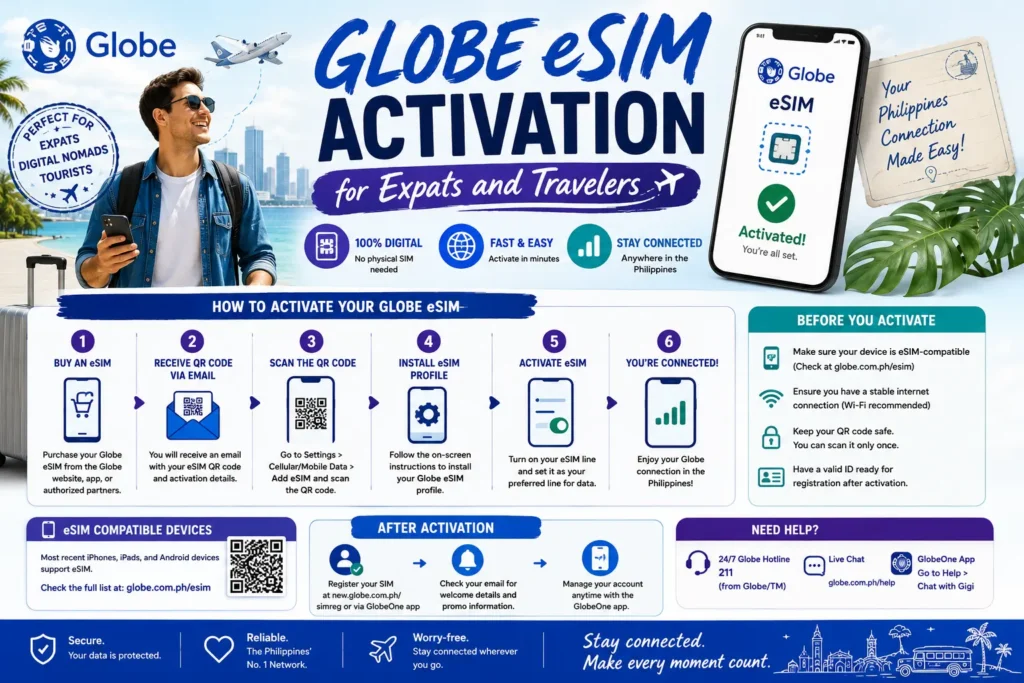
Step-by-Step Globe eSIM Activation
Check Device Compatibility
Before buying an eSIM, ensure your phone supports it:
Buy a Globe eSIM
For Expats:
Convert your current SIM to eSIM via the GlobeOne app or at a Globe store
For Travelers:
Purchase a Prepaid Traveler eSIM online or at airports in the Philippines
Choose a plan with data, SMS, and calls suited to your stay
Register Your eSIM
Registration is mandatory in the Philippines:
Provide your full name, birthday, nationality, and passport number
Upload a passport photo for verification
Take a selfie for identity confirmation
Receive an OTP to verify your phone number
Activate Your eSIM
Scan the QR code provided by Globe
On iPhone: Settings > Cellular > Add Cellular Plan
On Android: Settings > Connections > SIM Card Manager > Add Mobile Plan
Follow prompts to complete activation
Troubleshooting Common eSIM Issues
| Problem | Solution |
|---|---|
| QR Code won’t scan | Use proper lighting, hold the camera steady, or try another device |
| eSIM not connecting | Toggle airplane mode, restart your phone, or select the eSIM manually in settings |
| OTP not received | Check mobile signal, wait a few minutes, and request OTP again |
| Selfie rejected | Ensure proper lighting, neutral expression, no hats/glasses, and a clear image |
Tips for Expats and Travelers
Keep your passport handy — required for registration
Use the GlobeOne app for managing balance, topping up, and monitoring usage
Pre-purchase traveler eSIMs to be connected immediately upon arrival
Choose plans with sufficient data for navigation, messaging, and calls
You can also read: Globe SIM Registration Without Return Ticket: Tourist Guide
FAQs
Final Words
Globe eSIMs provide a convenient, hassle-free mobile experience for expats and travelers. With proper registration and activation, you can enjoy seamless connectivity in the Philippines without handling physical SIM cards.


