
Share Load on Globe: Updated Methods and Alternatives 2026
In today’s fast-paced world, staying connected is crucial. Sometimes, we find ourselves in situations where we need to send mobile credits (load) to a friend or family member in an emergency or simply to share some balance. Globe Telecom, one of the leading mobile service providers in the Philippines, offers several ways to share load, even after the discontinuation of its traditional Share-A-Load service in 2022. This guide will walk you through the various alternatives, including the GlobeOne app, GCash, and other mobile apps, ensuring that you can transfer load easily and securely.
Overview of Globe’s Load Sharing Options
Globe’s Share-A-Load feature, also known as Pasaload, was once a popular text-based service for transferring load to others. While this feature was discontinued in December 2022, Globe continues to provide alternative methods to share load through digital platforms and mobile apps. Let’s explore the current options available for Globe users to send load.
How to Share Load Using the GlobeOne App
With the GlobeOne app, users can now send a load directly to friends and family members. This is the most efficient and modern method to share credits. Here’s how to do it:
Download and open the GlobeOne app on your smartphone.
Use your Globe or TM number to log in.
Navigate to the “Shop” or “Buy Load” section in the app.
Input the mobile number of the person you wish to send load to.
Select the desired amount of load.
Review and confirm the payment details. The load will be transferred instantly to the recipient’s account.
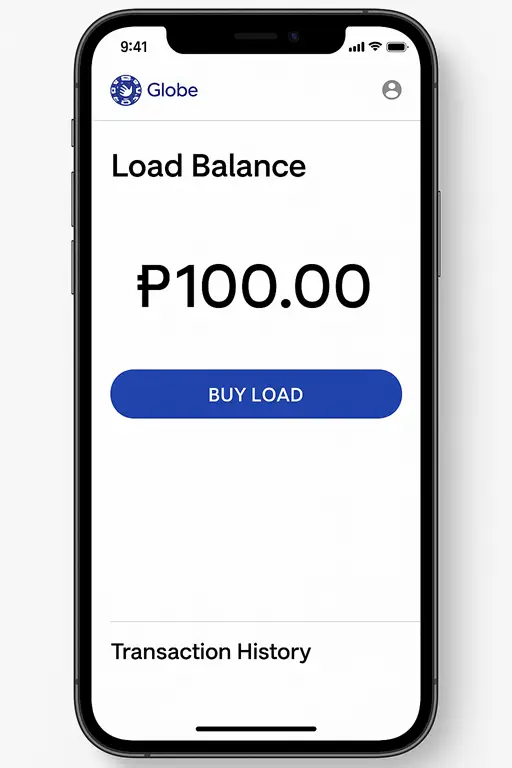
This method is simple, fast, and secure, making it ideal for emergencies or quick transfers.
Share Load via GCash
The GCash app also provides a seamless way to send mobile load to Globe users. It is particularly useful for those who already have an active GCash account.
Steps to Share Load Using GCash:
Launch the GCash app on your mobile device.
Tap on the “Buy Load” option.
Type in the recipient’s Globe or TM mobile number.
Select the amount you wish to send.
Complete the transaction by confirming your details and using your GCash balance for payment.
Tip: GCash also offers promotions and cashback for load transfers, making it an attractive option.
What is AutoloadMax (AMAX)?
AutoloadMax (AMAX) is Globe’s electronic reloading service, available at participating retail stores across the Philippines. AMAX allows retailers to load prepaid credits directly onto Globe or TM numbers, without the need for physical load cards. It’s an excellent option for those who prefer to reload their account while on the go.
How AMAX Works:
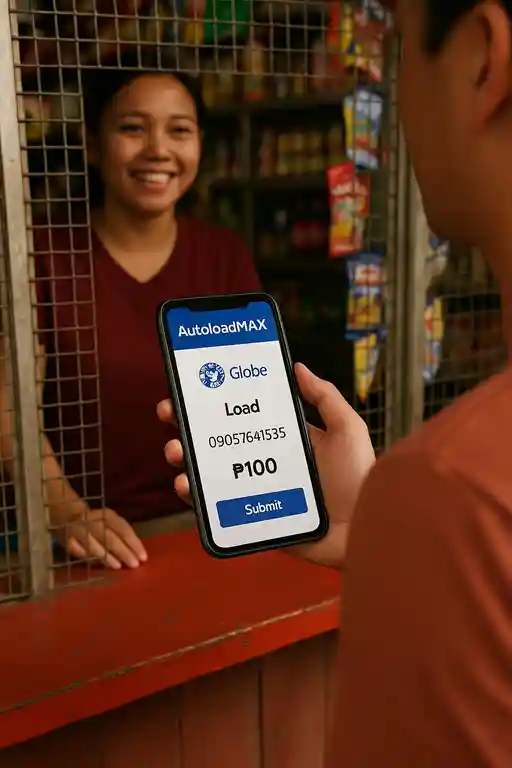
AMAX is perfect for those who prefer a physical, cash-based reloading option and is widely available in many communities.
Share Data Instead of Load (Using Group Promos)
In addition to sharing load, Globe now allows users to share mobile data through group promos like SURF4ALL. This service enables you to buy a data pack, such as 20GB, and share it with up to four users in your family or group.
How to Share Data Using SURF4ALL:
Go to the app and select the Group Data section.
Pick the SURF4ALL data promo.
Enter the names and numbers of the people you want to share the data with.
Control how much data each member can use by setting individual limits.
You can check your data usage at any time through the app.
This is a great alternative for families or groups who want to share mobile data rather than load balance.
Other Apps for Sharing Globe Load
There are multiple mobile apps available for reloading and sharing load on Globe, including:
Download from Google Play or the App Store.
Select “Buy Load,” choose Globe, and confirm the amount to send.
Navigate to “Load, Bills & Coupon,” select Mobile Load, and complete the transaction.
Tap “Buy Load” on the main page and confirm the payment.
Use the “Buy Load” option, enter the recipient’s number, and complete the payment.
Use the “Payments/Load” section to load prepaid phones directly via mobile banking.
Select “Buy Load,” choose the amount, and complete the payment.
Each app offers different payment options, and they provide an easy, secure way to share a load with others.
Pasaload via SMS
Even though the text-based Share-A-Load service has been discontinued, Globe users can still share load via SMS using the *143# code. This method remains a convenient, no-internet-required option for transferring load.
Steps to Share Load Using *143#:
This method is perfect for those who prefer using a mobile network interface rather than an app. You can also read: Guide to Globe Customer Service: How to Contact Globe in 2026
Call Cards and E-PINs for Load Sharing
For users who prefer offline methods, call cards and E-PINs provide an alternative for reloading your Globe account.
Call Cards:
Purchase Globe prepaid call cards from any authorized Globe retail outlet.
Scratch the gray panel to reveal the PIN and card number.
Dial 223 and input the card number and PIN to reload.
E-PINs:
Purchase an E-PIN at participating outlets like 7-Eleven or RCPI.
Follow the same procedure as call cards to reload via 223.
These methods are ideal for those without access to mobile data or apps.
Common Issues When Sharing Load and How to Fix Them
While sharing load with Globe is generally straightforward, users may encounter some common issues:
Low Balance:
Ensure you have sufficient credits before attempting to share load.
Wrong Number:
Double-check the recipient’s number to avoid sending the load to the wrong person.
Network Delay:
If the load transfer doesn’t go through immediately, try restarting your phone or waiting for a while.
Daily Transaction Limit:
Globe has a daily limit of ₱500 for load sharing. You may need to wait until the next day or split the transaction into smaller amounts.
FAQs
Final Words
Sharing load with Globe has become more accessible and flexible with the discontinuation of the Share-A-Load service. Whether you’re using the GlobeOne app, GCash, SMS, or any other supported app, these methods offer simple and secure ways to send load to friends, family, or even share mobile data in group promos. By understanding how to use each method, you can quickly and easily help others stay connected when they need it the most. Always check your recipient’s number, keep your Share PIN secure, and enjoy the convenience of sharing load across various platforms.


