
How to Complete Globe SIM Registration for Seniors
Under the SIM Registration Act (RA 11934), all mobile phone users in the Philippines, including senior citizens, must register their Globe SIM cards to continue using mobile services. For senior citizens, this process has been simplified and can be done with the assistance of Globe’s customer support or in-store representatives. In this article, we’ll guide you through how to complete Globe SIM registration for seniors, ensuring that the process is accessible, straightforward, and convenient.
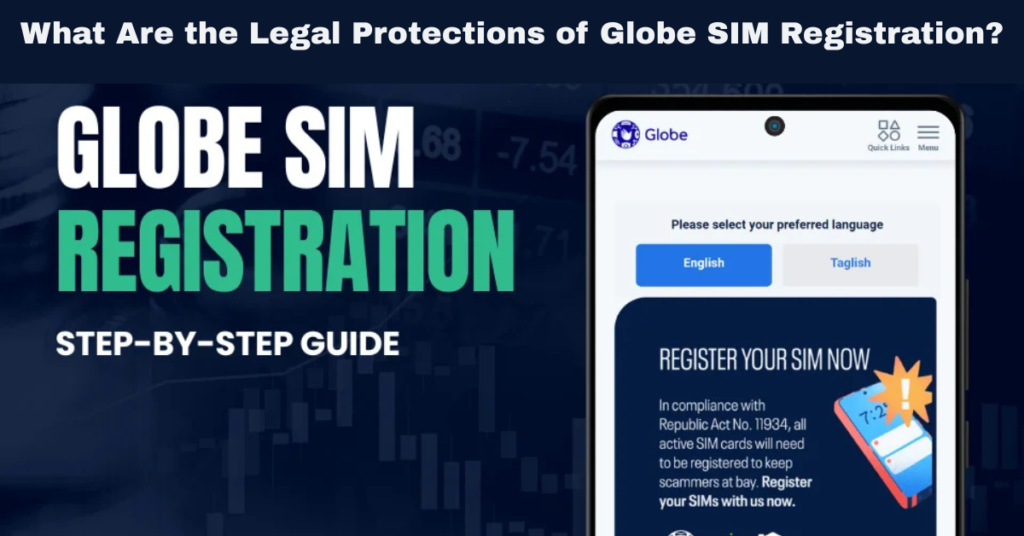
Why Is SIM Registration Important for Seniors?
The SIM Registration Act requires all SIM cards, including those used by seniors, to be registered under a valid identity. This aims to:
For senior citizens, registering their SIM cards is essential for continued use of mobile services. This guide will show you how to complete the registration process easily.
Who Can Assist Senior Citizens in Registering Their SIMs?
The SIM registration process is designed to be inclusive, especially for vulnerable groups like senior citizens. Globe understands that not all seniors are tech-savvy, which is why they offer assisted registration. You can also read: Difference between Globe SIM Registration vs. NTC Guidelines
Assistance Options for Seniors:
Globe Store Assistance: Senior citizens can visit any Globe store to receive in-person help. The staff will assist in completing the registration process and verifying their identity.
GlobeOne App: For seniors who are comfortable using smartphones, the GlobeOne app allows easy online registration with step-by-step guidance.
Family or Caregiver Assistance: If a senior citizen is unable to register themselves, they can ask a family member or caregiver to assist in the registration process.
Required Documents for Senior Citizens:
Government-Issued ID: Seniors need to present a valid ID such as a driver’s license, passport, or senior citizen ID.
Selfie: A selfie with the ID held up clearly is required for identity verification.
How to Complete Globe SIM Registration for Seniors:
1. Register via Globe Store
If a senior citizen needs assistance, visiting a Globe store is the best option. Here’s how the process works:
Visit a Globe Store
Go to any Globe store near you. Make sure to bring the valid ID of the senior citizen (e.g., Senior Citizen ID, Passport, Driver’s License, etc.).
Globe staff will assist you in verifying the senior citizen’s details and processing the registration.
Provide the Necessary Documents
Present the valid government-issued ID of the senior citizen to verify their identity.
A selfie will also be required to confirm that the senior citizen is present for the registration. Globe staff will assist in taking the photo if needed.
Complete the Registration
Globe store representatives will complete the registration for the senior citizen.
Once completed, a confirmation SMS will be sent to the registered number. The senior citizen’s SIM card will now be officially registered and ready for use.
2. Register via GlobeOne App
For tech-savvy senior citizens or those with assistance, the GlobeOne app offers a convenient way to register the SIM online. Here’s how to complete the registration using the app:
Step 1: Download the GlobeOne App
Step 2: Open the App and Log In
Step 3: Go to the SIM Registration Section
- Once logged in, select the SIM Registration section in the app. You will be prompted to enter the senior citizen’s personal details, such as:
- Full name
- Date of birth
- Address
- Email and contact number
Step 4: Upload the Required Documents
Step 5: Confirm Registration
3. Register via Globe Website (for Family or Caregiver Assistance)
For senior citizens who don’t have access to a smartphone, family members can also help complete the registration online via the Globe website:
Visit the Globe Registration Website
Go to the official Globe SIM Registration page on the website.
Enter Senior Citizen’s Details
Input the senior citizen’s personal details, including their name, date of birth, address, and other required information.
Upload Required Documents
Upload the senior citizen’s valid government-issued ID and take a selfie holding the ID to complete the registration.
Submit and Wait for Confirmation
Once the documents are uploaded, submit the registration. The senior citizen will receive an SMS confirmation once the SIM is registered successfully.
Challenges Senior Citizens Might Face During SIM Registration
While the SIM Registration Act is designed to be inclusive, some senior citizens may still face challenges. Here are some common issues and solutions:
Difficulty Accessing the App or Website
Some seniors may have difficulty using smartphones or navigating online platforms. In these cases, family members or caregivers can assist by completing the registration on their behalf.
Lack of Required Documents
If a senior citizen does not have a government-issued ID, they may face difficulty registering. Globe allows the use of alternative documents, such as a Senior Citizen ID or barangay certificate, which can be used as proof of identity.
Technical Issues
Sometimes, seniors may face technical issues during the registration process. If you’re unable to complete the registration online, visiting a Globe store is the best option for in-person assistance.
FAQs
Final Words
Registering a Globe SIM is essential for all users, including senior citizens, to comply with the SIM Registration Act and ensure continued access to mobile services. Globe has made the registration process accessible for seniors by providing assisted registration options, making it easy for family members or caregivers to help.
Whether registering online, through the app, or in-person at a Globe store, the registration process is simple and quick. Make sure to help your senior family members complete the registration before the deadline to avoid service interruptions.


