
How to Register Your Globe SIM with a Foreign ID
The SIM Registration Act (RA 11934) has been fully implemented, requiring all mobile phone users in the Philippines, including foreign nationals, to register their SIM cards. This law is aimed at reducing fraud, identity theft, and other illegal activities linked to unregistered SIM cards. If you’re a foreign national residing in the Philippines and need to register your Globe SIM with a foreign ID, you might have some questions about how to proceed.
In this comprehensive guide, we will explain the SIM registration process for foreign nationals, what documents are required, and how you can complete the registration smoothly.
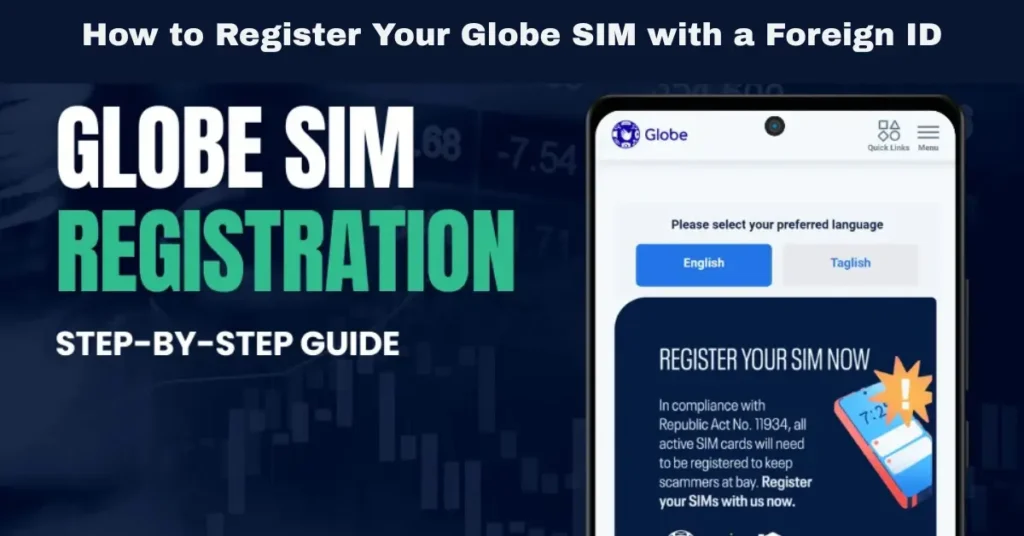
Why Is SIM Registration Important for Foreign Nationals?
The SIM Registration Act is designed to promote security and accountability in mobile services. By linking every SIM card to a verified individual, the law aims to:
For foreign nationals, the SIM registration ensures that mobile services, such as calls, texts, and data, remain secure and legally compliant. This registration is also essential for accessing financial services like GCash and online banking, which are tied to your mobile number.
Documents Required for Foreign Nationals Registering a Globe SIM
When registering your Globe SIM with a foreign ID, you will need to provide the following documentation:
Foreign Government-Issued ID
The primary document required for foreign nationals is a valid foreign government-issued ID. This could be one of the following:
Proof of Philippine Address (if applicable)
Foreign nationals who reside in the Philippines may also need to provide proof of their Philippine address. This can be useful for verifying your identity and ensuring accurate registration details.
Acceptable documents include:
Selfie with Foreign ID
To complete the registration, you will also need to provide a selfie holding your foreign ID. This helps verify that the person registering the SIM is the same as in the ID. You can also read: Globe SIM Registration for Expats Latest Update 2026
How to Complete the Globe SIM Registration with a Foreign ID
Registering via the GlobeOne App
The easiest and most convenient way to register your Globe SIM is through the GlobeOne app, which is available for both Android and iOS users. Here’s how you can register using the app:
Step 1: Download and Open the GlobeOne App
Step 2: Navigate to the SIM Registration Section
Step 3: Enter Your Personal Information
Step 4: Upload Your Foreign ID
Step 5: Take a Selfie with Your ID
Step 6: Submit Your Registration
Registering via Globe’s Website
You can also register your Globe SIM through the official Globe website. Here’s how:
Visit the Globe SIM Registration Website:
Open the official Globe SIM registration page on your browser.
Enter Your Information:
Provide your full name, date of birth, address, and other details required for registration.
Upload Your Foreign ID and Selfie:
Upload a clear photo of your foreign government-issued ID and a selfie holding your ID for verification.
Submit Your Registration:
After submitting your details, wait for a confirmation message indicating that your registration was successful.
Registering In-Store (For Assistance)
If you encounter issues or prefer in-person assistance, you can visit a Globe store for help. The Globe store representatives will guide you through the registration process. Here’s how to do it:
Bring Your Documents
Bring your foreign government-issued ID and proof of address (if applicable). Also, bring a selfie or allow the store representative to assist with the photo.
Fill Out the Registration Form
You will be asked to fill out a registration form with your personal details.
Take Your Selfie
The store representative will help you take a selfie holding your foreign ID for verification.
Submit the Registration
Once your details are verified, your SIM registration will be processed, and you will receive a confirmation SMS once it’s complete.
Challenges for Foreign Nationals When Registering SIM Cards
While registering your SIM as a foreign national is straightforward, some challenges may arise, including:
Lack of a Local Philippine Address
Foreign nationals who do not have a Philippine address may face challenges during registration. However, this issue can usually be resolved by providing alternative documents, such as:
Barangay Certificate: A document that proves your residence in a specific area.
Lease or Rental Agreement: If you’re renting a property in the Philippines, this document can serve as proof of your address.
Issues with Foreign ID Verification
If your foreign ID is not accepted during the registration process (e.g., if it’s expired or unclear), make sure the photo is clear, the ID number is visible, and the text is legible. You can visit a Globe store for assistance if you continue to face issues.
Limited Access to the Internet or a Smartphone
If you do not have access to a smartphone or internet connection for online registration, you can still complete the process at a Globe store. The staff will assist you with all the necessary steps to register your SIM card.
FAQs
Final Words
Registering your Globe SIM with a foreign ID is a simple process that helps ensure your compliance with the SIM Registration Act while keeping your mobile services secure. Whether you are using a passport, driver’s license, or alien registration card (ARC), Globe makes it easy for foreign nationals to register their SIM cards.
With several convenient options—GlobeOne app, Globe website, or in-store registration—completing the process is quick and straightforward. Be sure to complete the registration on time to avoid service disruptions and enjoy uninterrupted access to mobile services.


