Sometimes Globe Portal Not Recognize Government ID Number
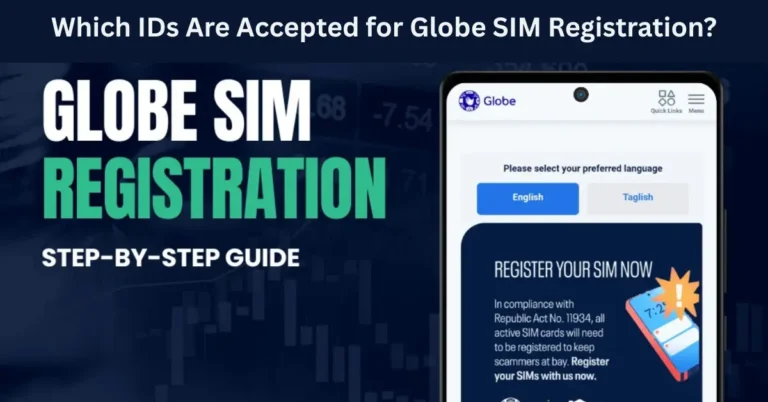
If you’ve been trying to register your Globe SIM and the portal keeps rejecting your government ID number, you’re not alone. Many users face issues with identity verification, especially when entering their government-issued ID numbers for the 2026 SIM Registration. While the process is designed to be simple, technical issues or data mismatches can cause frustrating delays.
In this article, we’ll explore some common reasons why Globe’s portal might fail to recognize your government ID number and provide tips on how to fix it.

Common Reasons Why Globe’s Portal Doesn’t Recognize Government ID Number
Incorrect or Misspelled ID Number
One of the most common reasons the Globe SIM registration portal fails to recognize your government ID number is simple human error. If you mistakenly enter an extra digit, misread the number, or skip a character, the system won’t be able to match your ID with the government database.
How to Fix It:
Double-check your government ID for accuracy.
Ensure that the number is entered correctly with no extra spaces or characters.
If you’re using an ID card image, make sure the number is clear and legible.
Mismatched Name on the ID
Globe uses your government-issued ID to verify your identity. If the name on the SIM registration doesn’t exactly match the name on your ID, the system will flag it.
Why This Happens:
If your ID has your full name (first, middle, last) and your SIM registration form uses an abbreviated version, the system may not match the records.
Similarly, if you’ve changed your name due to marriage or other reasons, and the Globe system doesn’t recognize the updated version, it might cause an issue.
How to Fix It:
Outdated Government ID Number
If your government-issued ID has expired or is outdated, the system may not recognize it properly. Certain ID types, like driver’s licenses or voter IDs, have expiration dates, and the Globe system may only accept valid, current IDs.
How to Fix It:
Renew expired IDs as soon as possible to ensure they are accepted by the Globe system.
Ensure that your ID is valid, not just physically readable, but also up-to-date according to official records.
System-Specific Errors or Maintenance
In some cases, the issue might not be with your ID number at all. If the Globe portal is experiencing technical difficulties, server issues, or scheduled maintenance, your ID number may not be recognized due to temporary glitches in the system.
How to Fix It:
Wait a few minutes and try again later, as server errors can often be resolved quickly.
Check for official Globe announcements about ongoing maintenance or service interruptions.
Clear your browser cache and cookies and try registering again.
Issues with Your Government Database Records
In rare cases, the issue may lie with your government ID database record. Sometimes, discrepancies between official records (like the National Database or the Philippine Identification System) and the data entered by Globe can cause issues.
How to Fix It:
Contact the appropriate government agency that issued your ID (e.g., the Philippine Statistics Authority (PSA), the Land Transportation Office (LTO), or the Commission on Elections (COMELEC)) to ensure your information is up-to-date.
Once verified, try re-entering your ID number in the Globe portal.
ID Number Not Recognized by Globe’s Verification System
The Globe SIM registration system uses an automated identity verification process that cross-references your information with government records. Some less common ID types may not be supported by the system, causing recognition issues.
Common IDs That May Cause Problems:
Barangay IDs: These are not typically supported for SIM registration.
Company-issued IDs: These may not match with government databases.
International IDs: Non-local IDs or passports may cause issues if they aren’t registered in the local system.
How to Fix It:
Using an Outdated or Incorrect Globe SIM Registration Portal
Occasionally, users might mistakenly use an outdated SIM registration portal or the wrong app version. Using the official GlobeOne app or the Globe official portal is essential for smooth registration. You can also read: Fix Location Mismatch Errors During Globe SIM Registration
How to Fix It:
Tips to Ensure Successful SIM Registration
To avoid problems with Globe SIM registration and ensure the ID number is recognized, follow these tips:
FAQs
Final Words
If the Globe SIM registration portal isn’t recognizing your government ID number, don’t worry—this is a common issue, and it’s usually easy to fix. Most of the time, it comes down to data entry errors, ID validity, or technical glitches on the platform. By following the tips and troubleshooting steps provided, you should be able to resolve the issue and complete your SIM registration successfully.
If all else fails, don’t hesitate to reach out to Globe’s customer support or visit a Globe store for further assistance. The SIM registration process is essential to keep your mobile services active, so ensuring your ID number is properly entered and verified is important.