
Globe SIM Data Privacy & Security Guide — Philippines 2026
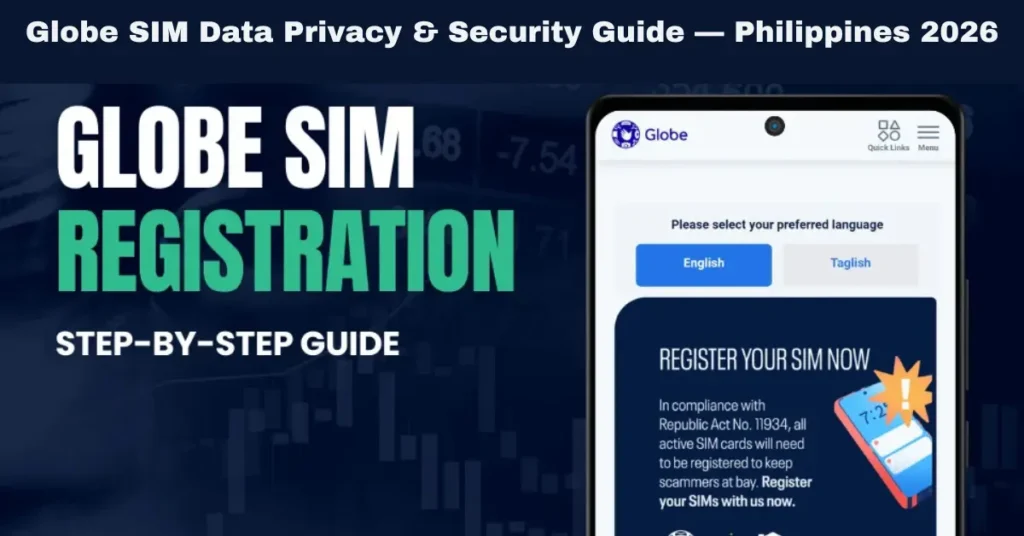
With the SIM Registration Act (Republic Act No. 11934) now in full effect, registering your Globe, TM, or Globe At Home SIM is mandatory. While the process is straightforward, many users have concerns about how their personal data is handled. This guide explains everything about SIM data privacy, legal protections, common concerns, and practical tips to keep your information secure.
Why Globe SIM Data Privacy Collects
During Globe SIM registration, the system collects:
Full Name – Must match government-issued ID
Date of Birth – For age verification
Address – For verification and account linkage
Valid Government ID – Driver’s license, passport, or national ID. Selfie – For identity verification
This information is used solely for compliance, identity verification, and preventing SIM misuse, such as fraud, spam, or criminal activity. It ensures that every SIM is linked to a real, verified user.
Legal Protections for Your Data
SIM Registration Act (RA 11934)
Requires SIM registration for accountability and security.
Protects users by mandating confidentiality and penalizing unauthorized disclosure.
Only allows data access by authorized government entities under strict legal conditions.
Data Privacy Act of 2012
Applies to all telecommunications companies in the Philippines.
Requires Globe to store, process, and transmit data securely.
Gives users rights to access, correct, or request deletion of personal data under legal limits.
Your personal data is legally protected, and misuse can result in fines or legal action against violators. You can also read: Are Registered SIMs Prioritized During Network Congestion?
How Globe Secures Your Data
Digital Security Measures
Globe implements advanced measures, including:
Encrypted data storage to prevent hacking
Access restrictions – only authorized employees can view registration info
Audit and monitoring systems to detect unusual activity
Purpose-Limited Use
Your data is collected only for SIM registration, identity verification, and service management. It is not used for marketing or shared with third-party companies without your consent.
Common User Concerns
Step-by-Step Guide to Register Your Globe SIM Safely
Prepare Required Documents
Government-issued ID (passport, driver’s license, national ID)
Active mobile number for OTP verification
Selfie for verification
Choose the Registration Method
Official Globe Portal – Online submission
GlobeOne App – Mobile registration
Globe Store – In-person assistance
Verify Your Identity
Upload ID photo and selfie
Enter personal information exactly as on the ID
Confirm your mobile number for OTP
Step 4: Submit Registration
Review all information carefully
Submit the form
Receive a reference number for tracking
Track Status
Use the reference number to check application status online or via the GlobeOne app
Address any pending issues immediately
Tips to Keep Your Data Safe
Always use official channels for registration
Keep your reference number secure for tracking
Do not share your ID or selfie with unverified third parties
Monitor SMS alerts about your registration status
Check your privacy settings in the GlobeOne app regularly
Update ID or personal information promptly if changes occur
How to Handle Problems
OTP Issues
Ensure your mobile number is active and matches your ID
Resend OTP if not received
Avoid multiple requests at the same time
Selfie or ID Rejections
Use clear photos with proper lighting
Make sure ID is valid and unexpired
Align selfie according to portal instructions
Pending or “Under Review” Status
Wait 24-48 hours for system processing
Contact Globe support if the pending status exceeds a week
Keep the reference number handy
Deactivation Concerns
Unregistered SIMs may be temporarily suspended after the deadline
Always complete registration early to avoid service interruption
FAQs
Final Words
Globe SIM registration is essential for compliance and mobile security, but it also raises concerns about personal data privacy. Here’s what you need to remember:
Always use official channels (portal, app, or store)
Keep your reference number and documents safe
Follow all instructions carefully for selfie and ID submission
Monitor registration status regularly
Contact Globe support if there are any delays or errors
By taking these steps, you ensure your Globe SIM is registered legally, your data is safe, and your mobile services remain uninterrupted.
Following this guide will give you peace of mind, legal compliance, and a safe mobile experience in 2026 and beyond.


