
Globe Reject a Driving Licence as Proof for SIM Registration
If you’re trying to use your driving licence as proof for Globe SIM registration and have encountered a rejection, you may be wondering what went wrong. A driving licence is usually an accepted form of government-issued ID for SIM registration, but certain issues can lead to rejection.
In this comprehensive guide, we’ll explore when and why Globe might reject a driving licence and provide actionable tips to ensure your registration goes smoothly.
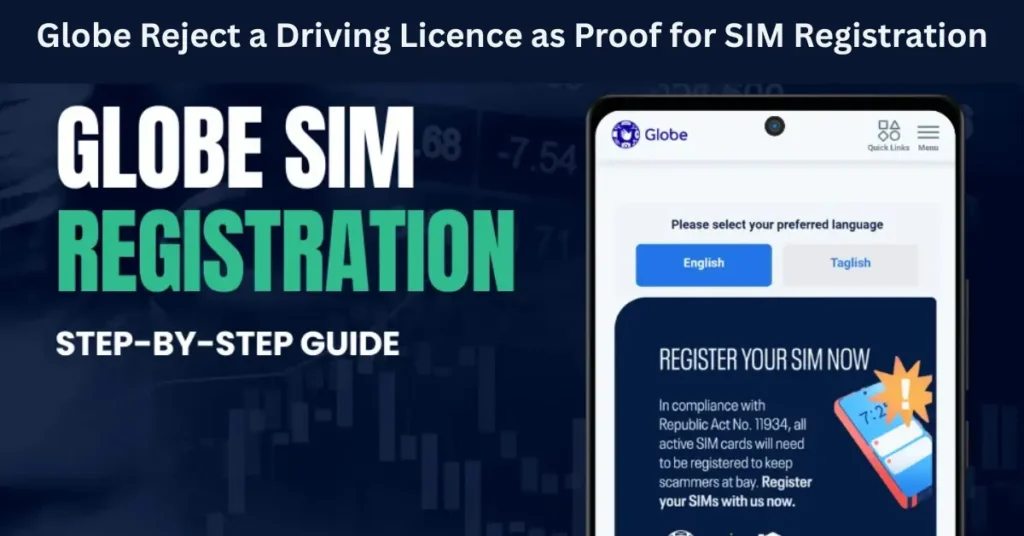
What Are the Requirements for Globe SIM Registration?
Before we get into the specific reasons Globe might reject your driving licence, let’s quickly review the SIM registration requirements under Republic Act No. 11934 (SIM Registration Act):
Valid Government-Issued ID
Globe accepts a wide variety of IDs for SIM registration, including passports, SSS IDs, voter’s IDs, and driving licences.
Selfie with the ID
A clear selfie with your ID clearly visible in your hand is required to complete the registration.
Accurate Personal Details
Ensure that your full name, birthdate, and address match the details on your ID.
Globe uses these details for identity verification and fraud prevention. Any discrepancies or issues with your driving licence can result in a rejection.
Common Reasons Globe Rejects a Driving Licence for SIM Registration
While the driving licence is typically accepted as a valid form of ID, there are a number of reasons why it might be rejected during the registration process.
Expired Driving Licence
The expiration date on your driving licence is a key factor. If your driving licence has expired, Globe will not accept it as a valid ID for registration.
Fix: Before attempting to register, make sure your driving licence is valid and up-to-date. If it has expired, renew it through your local Land Transportation Office (LTO).
Unreadable or Blurry Image
Globe requires clear, readable images of your driving licence and selfie. If the image of your ID is blurry, distorted, or contains glare, the registration process will fail.
Fix: Ensure that the photo you take is well-lit, focused, and free of reflections. You can use a scanner or a high-quality camera to take clear pictures.
Mismatch Between Personal Information
Another reason your driving licence may be rejected is if the information on your form doesn’t match the details on your licence. For example, your full name, birthdate, or address must match exactly what is on your driving licence.
Fix: Double-check all personal information before submitting. If your name appears differently on your ID (e.g., using a middle name or initial), make sure you enter it exactly as shown.
Poor-Quality Selfie
The selfie you upload with your driving licence must clearly show your face and the ID. If your selfie is blurry, incomplete, or your ID is not clearly visible, the system will reject it.
Fix: Ensure that your selfie is clear, with your face visible and your driving licence clearly held in front of you.
Incorrect File Format or Large File Size
The Globe SIM registration portal requires ID photos to be in a specific file format (usually JPG or PNG) and should not exceed a file size (typically 4MB). If your photo is too large or in an unsupported format, it may be rejected.
Fix: Compress the photo if the file size is too large, and ensure it’s saved in the right format. You can use free online tools to reduce file size without losing quality.
Temporary or Paper Driving Licence
If you’re using a temporary or paper driving permit, Globe may not accept it, as it lacks the official security features of a plastic, government-issued licence.
Fix: Use an official plastic driving licence or another acceptable government-issued ID, like a Philippine National ID (PhilSys), Passport, or SSS ID.
ID Scans With Missing Details
Sometimes, the scan or photo of the driving licence may cut off part of the details (like the name or birthdate). If key sections of your licence are missing, Globe will reject the ID.
Fix: Ensure that your ID is fully visible and that all details are clearly shown in the image.
How to Make Your Driving Licence Ideal for SIM Registration
Step-by-Step Checklist:
By following this checklist, you’ll have a much higher chance of success. Can you also read: Does Globe SIM Affect Your Credit Score or Bank Apps?
What to Do if Your Driving Licence is Rejected
If Globe rejects your driving licence, don’t worry — you can try to fix the issue by following these steps:
Check the details: Double-check your personal information (name, birthdate, address) to ensure it matches exactly with your ID.
Take a clearer photo: Ensure your driving licence is in focus, well-lit, and not cropped.
Use a different ID: If the driving licence still doesn’t work, use another valid government-issued ID, such as your PhilHealth ID, SSS ID, or Passport.
Contact Globe support: If you believe your licence is valid and you’ve followed all steps correctly, contact Globe’s customer support for further assistance.
FAQs
Final Words
While Globe SIM registration is straightforward, a driving licence can be rejected for a variety of reasons. The key to avoiding these issues is making sure:
Your licence is valid and not expired.
The image is clear, and all details are visible.
The selfie is of good quality and matches the ID.
If you follow the steps to ensure clarity and accuracy, you’ll improve your chances of success. If issues persist, don’t hesitate to use another valid government-issued ID or contact Globe support for help.
By ensuring that your details match, your photos are high quality, and your licence is up to date, you’ll complete SIM registration smoothly and move on to enjoying your Globe services.


