
GlobeOne App: Features, Benefits, and Troubleshooting Issues
The GlobeOne app is an all-in-one digital solution designed to manage your Globe and TM accounts seamlessly. Whether you’re using Globe Prepaid, Postpaid, GFiber, or Globe At Home, this app gives you the power to control all your services with a few taps. From Globe SIM registration to paying bills and accessing exclusive promos, the GlobeOne app ensures you stay connected, in control, and up to date.
Here’s a comprehensive guide to the GlobeOne app and everything you need to know about downloading, using, and troubleshooting the app to maximize your Globe experience.
What is GlobeOne App?
The GlobeOne app is a digital companion for Globe and TM users, providing access to prepaid, postpaid, home broadband, and GFiber services. The app allows you to manage multiple accounts, track data usage, subscribe to promos, make payments, and access a variety of additional features that simplify your daily interactions with Globe.

How to Download GlobeOne App (Android & iOS)
For Android Users:
For iPhone Users:
GlobeOne App Features
The GlobeOne app offers a wide range of features that cater to prepaid, postpaid, GFiber, and home WiFi customers.
You can link up to 10 Globe or TM accounts within the app, allowing you to manage various services (mobile, home broadband, GFiber, and more) from one platform. Easily switch between accounts and monitor usage, balance, and other important details.
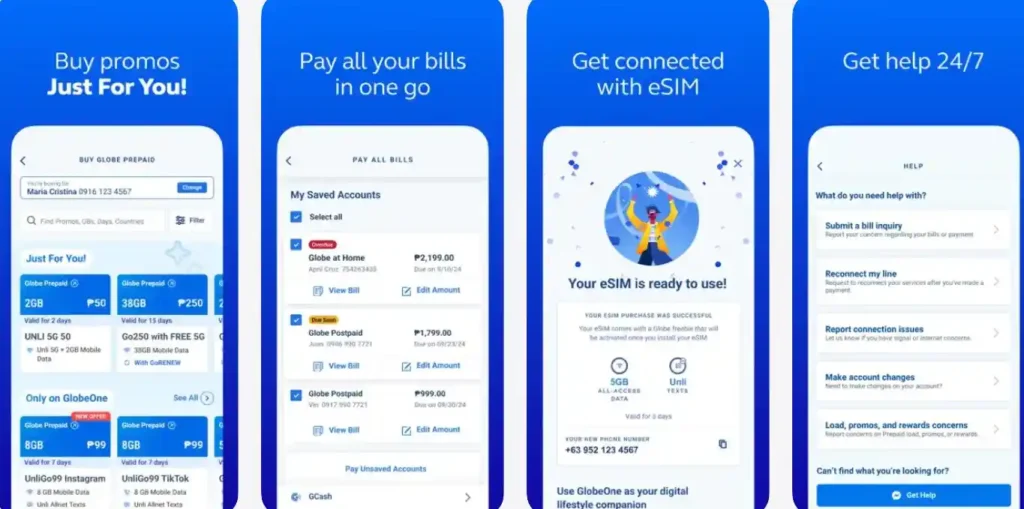
Discover and subscribe to the latest Globe and TM prepaid data, text, and call promos. Popular plans like GoSURF, GoUNLI, and Go+ are all available with just a few taps. The app provides real-time updates on your active promos and their expiration dates.
Stay in control of your data consumption with real-time tracking. The GlobeOne app shows your remaining data, call minutes, and texts so you can monitor and avoid overage charges.
The GlobeOne app simplifies bill payments, allowing you to pay Globe mobile, GFiber, Globe At Home, and even third-party bills. You can also load your prepaid SIM and send load to other Globe or TM users, making the process quick and hassle-free.
Earn Globe Rewards points based on your usage and convert them into data promos, discounts, or partner rewards. You can also redeem exclusive rewards only available through the app.
Register your Globe SIM directly within the app, ensuring your account stays active and compliant with the SIM Registration Act.The app gives you access to exclusive promos and limited-time offers, providing more value for your Globe services. From student discounts to international roaming offers, you’ll find the best deals on the app.
Advanced Features of the GlobeOne App
Track Usage and Set Alerts:
Monitor your data usage and bill due dates, and receive push notifications when your data is about to run out or when your bills are due.
Manage Your Profile and Security:
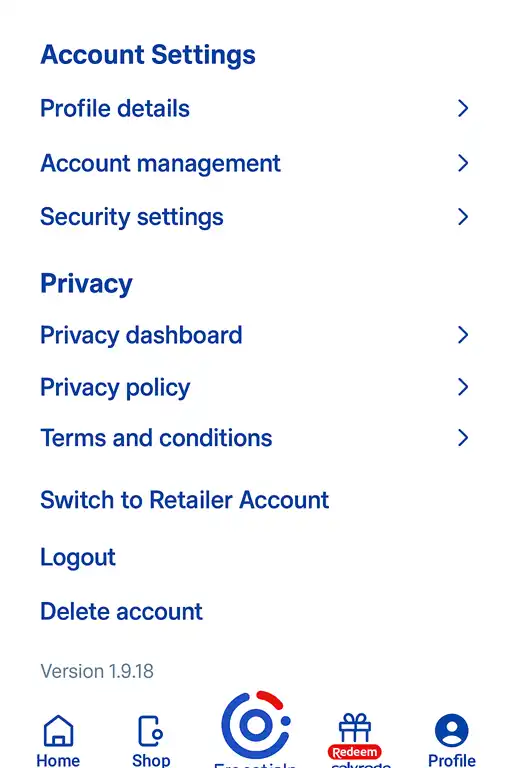
Update your profile details and adjust security settings to protect your account. Use options like fingerprint or face recognition for a secure login experience.
Get 24/7 Customer Support:
Directly contact Globe customer support through the app for quick resolutions to your service-related concerns. You can also report any issues and track their status.
Buy Load or Transfer to Others:
Need to buy a load or send it to someone? The app allows top-ups and load transfers to Globe and TM users easily.
GlobeOne for Prepaid, Postpaid, and Broadband Users
Prepaid customers can purchase data promos, send load, check balances, and track usage directly within the app. You can also apply for promos like GoSURF, GoUNLI, and more.
Postpaid customers can manage their monthly plan, track data usage, pay bills, and even request add-ons through the app.
Manage GFiber prepaid plans, top up your account, check data usage, and explore exclusive broadband deals within the app.
Troubleshooting Common GlobeOne App Issues
Unable to Log In
If you’re unable to log into your GlobeOne app, try resetting your password or ensure that you have a stable internet connection. If the issue persists, contact customer support through the app.
Missing Accounts After Update
After updating the GlobeOne app, you may notice that some accounts are missing. Simply re-link your mobile or broadband accounts by following the account management section in the app.
App Crashes or Freezes
If the app is crashing or freezing, clear the app’s cache or uninstall and reinstall it. If the issue continues, ensure that your device’s OS is up to date.
Promo Issues
If you can’t subscribe to a promo or receive a confirmation message, ensure you’ve entered the correct code and have enough balance. If necessary, wait a few minutes and try again.
CONCLUSION
The GlobeOne app is a comprehensive tool that simplifies your mobile experience. Whether you’re managing mobile data, prepaid load, bill payments, or Globe Rewards, the app puts all of Globe’s services in the palm of your hand. With features like real-time data tracking, bill payment reminders, and exclusive promos, the GlobeOne app enhances your ability to stay connected and in control of your Globe services.
FAQs
Final Words
The GlobeOne app is an essential tool for managing your Globe services, offering an array of features that make account management easier and more convenient. By offering real-time tracking of data, bill payments, promo subscriptions, and customer support, GlobeOne ensures that users can manage everything in one place without hassle. Whether you’re using prepaid, postpaid, or GFiber, the app offers streamlined services to improve your Globe experience.


