
Register a Globe SIM That Was Previously Activated Abroad
If your Globe SIM was already activated abroad, you might feel confused about what to do next. Many people think there must be a special registration process for overseas users, but that is usually not the case. In most situations, the SIM still needs to be registered through Globe’s normal online process.
The real issue is usually not the place where the SIM was first used. The bigger issue is whether the SIM can still get a signal, receive the OTP, and complete the registration flow while you are outside the Philippines. That is where most users get stuck.
This guide explains how to register a Globe SIM that was previously activated abroad, what you need before you start, the exact steps to follow, what to do if OTP does not arrive, and how to tell whether your issue is registration, roaming, or SIM activation.
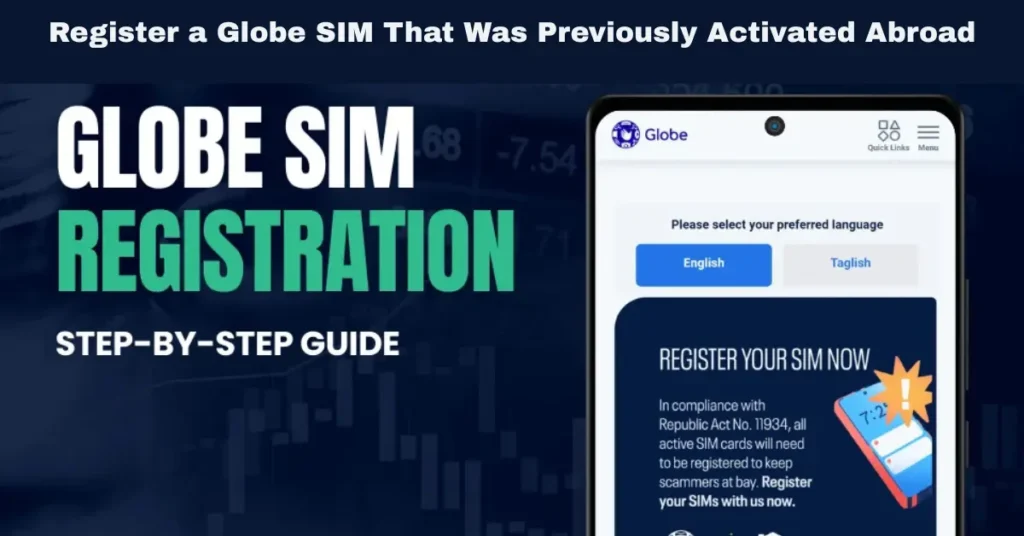
What Previously Activated Abroad Really Means
When people use this phrase, they are usually talking about one of these situations
You brought your Globe SIM overseas and started using it there
Your SIM was already active before you left the Philippines, and now you are trying to complete registration while abroad
Your Globe line can still connect overseas, but you are not sure if the registration steps are different
Your SIM worked abroad before, but now you need to make sure it stays active and registered
In simple terms, being previously activated abroad does not usually create a separate Globe registration category. It is still mostly the normal registration process, with roaming and OTP as the main extra challenges.
Does Being Abroad Change the Registration Process
For most users, not in a major way.
If you are using a Globe Prepaid SIM, you usually still register through the online registration portal or the GlobeOne app. The process starts with entering your mobile number, validating an OTP, then filling in your details, uploading your ID, and taking a selfie.
If you are using Postpaid, your situation is usually different. In many cases, your account details are already in the system, so the process is often more about confirming those details rather than doing the full prepaid-style registration from the beginning.
The easiest way to understand it is this
Prepaid usually means online registration through GlobeOne or the registration portal
Postpaid usually means confirmation of details already on file
Being abroad does not usually change the core process
Roaming signal and OTP delivery are the main issues that can slow things down
What You Need Before You Start
Before you begin the registration, prepare everything first. This saves time and lowers the chance of error.
Keep These Ready
This matters because the registration process usually asks for your personal details after OTP validation, along with a valid government ID and selfie. Having everything ready before you start helps you finish faster and avoid mistakes.
How to Register a Globe SIM That Was Previously Activated Abroad
If your SIM is prepaid, the process is mostly straightforward once your signal and OTP are working.
Step 1: Open the Official Registration Channel
You can use the Globe SIM registration portal or the GlobeOne app. Both are commonly used for SIM registration.
Step 2: Enter Your Globe Mobile Number
Type the number carefully. Even one wrong digit means the OTP could go somewhere else or the process could fail from the start.
Step 3: Wait for the OTP
After entering your number, wait for the OTP. Since OTP codes usually expire quickly, it is better not to delay the next steps.
Step 4: Enter the OTP and Continue
Once the OTP arrives, enter it right away and continue to the registration form.
Step 5: Fill In Your Details
You will usually need to enter information such as
Take your time here. Small typing mistakes can cause problems later.
Step 6: Upload Your ID and Selfie
Use a clear ID image and a selfie with good lighting. If the images are blurry or the details do not match, the registration may fail or slow down.
Step 7: Submit the Form
Before you submit, check everything carefully. Make sure your name, birthday, and ID details match properly.
Step 8: Save the Reference Number
After successful registration, save the reference number shown on the screen. This is important proof in case you need support later.
How Postpaid Users Should Think About It
If your Globe SIM is postpaid and was previously activated abroad, your situation is a bit different. Postpaid lines are often already tied to account details in the system, so the process may be simpler than prepaid registration.
In Practical Terms
You may not need the same full prepaid process
You may only need to confirm your existing details
Your main issue abroad may be roaming access, not the registration form itself
That is why it helps to know first whether your line is prepaid or postpaid before following random instructions online.
Why OTP Is the Biggest Issue Abroad
The form itself does not cause most registration failures abroad. They happen because the OTP never arrives, arrives too late, or the line cannot stay connected well enough to complete the process.
That means if your line cannot receive the OTP, the real issue may be the roaming connection, the partner network, or your phone settings.
Common OTP Problems Abroad
What to Do If You Do Not Receive the OTP Abroad
This is where many users get stuck. Instead of repeating the form again and again, fix the connection issue first.
Try These Steps
If the real issue is a weak signal, repeating the form will only waste time.
How Roaming Affects the Process
A lot of users think roaming is only about data or call charges, but it also matters for registration because your line must still be reachable for OTP and SMS.
In real life, roaming depends on the country, the partner network, your phone settings, and sometimes your device compatibility. So even if your SIM worked abroad before, that does not always mean the OTP will arrive smoothly in every location.
This Means
If your line has no roaming signal, registration may stop halfway
If your phone is on the wrong network, the OTP may not arrive
If your destination has limited support, the connection may be weak
If your device settings are wrong, the SIM may look inactive even when it is not
If Your SIM Worked Abroad Before but Not Now
This is a very common problem. Users say the SIM was already working overseas before, so they expect registration to be easy. But a SIM can stop working properly abroad for reasons that are not directly related to registration.
Possible Causes
You are now in a different country with a different partner network
Your phone changed the network settings
The signal is weaker where you are now. Your SIM is old or unstable
The issue is activation or SIM condition, not registration
So if your line previously worked abroad but now cannot receive OTP or connect properly, do not assume the registration form is the only problem.
Registration Problem Versus Roaming Problem Versus SIM Problem
This is one of the most important things to understand.
A Registration Problem Usually Means
A Roaming Problem Usually Means
A SIM Problem Usually Means
The SIM is damaged or old
The SIM is not being read properly
The line is unstable
Calls, texts, and data fail even after troubleshooting
When you separate the issue this way, the next step becomes much easier.
What If Your SIM Was Recently Replaced or Upgraded
This is a special case that deserves its own section. If the SIM you are trying to register abroad is not the original one, but a replacement or upgraded SIM, then the issue may not be simple registration alone.
In This Case
Registration may not be the only task
The replacement SIM may also need activation
A line can be correctly tied to your account, but still not work until the new SIM is active
So if your SIM was changed recently, do not ignore the possibility that activation is the real issue.
Simple Tips That Make the Process Easier
Here are the tips that matter most.
Helpful Tips
These small habits save a lot of time and frustration.
Common Mistakes to Avoid
Many users make the process harder than it needs to be.
Avoid These Mistakes
When You Should Contact Support
Sometimes the best move is to stop guessing and ask for help.
Contact Support When
If you contact support, keep your number, ID details, and any reference number ready. You can also read: GlobeOne Registration Fails but Works on Globe Website
FAQs
Final Words
If your Globe SIM was previously activated abroad, the process is usually simpler than it sounds. You do not normally need a special overseas registration method. In most cases, you still use the normal Globe registration channel, either through the online portal or the app. The real challenge is making sure your line can receive the OTP and stay connected long enough to finish the process.
The smartest way to handle it is to think in two parts. First, make sure your registration details, ID, and selfie are ready. Second, make sure your roaming signal is stable enough to receive the OTP. Once you separate the issue like that, the process becomes much easier.


