
How to Safeguard Your Privacy During Globe SIM Registration
The SIM Registration Act (RA 11934) is a vital step toward ensuring mobile security and reducing fraud and scams in the Philippines. As a result, Globe and other telecom companies are required to register all SIM cards with the government. While this process is intended to create a safer mobile environment, many users, including Globe customers, may have concerns about how their personal information is being collected and protected.
If you’re worried about privacy during the SIM registration process, you’re not alone. In this article, we’ll walk you through how to safeguard your privacy during Globe SIM registration, ensuring that your personal data remains secure while you comply with the law.
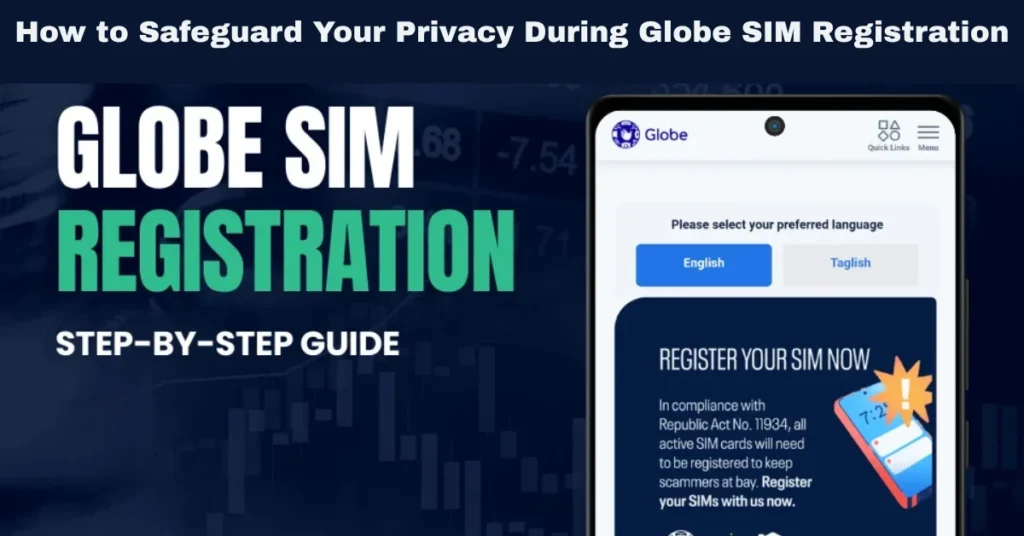
Why SIM Registration Requires Personal Information
The SIM Registration Act requires that all prepaid and postpaid SIM cards be registered under the real name and personal details of the user. The aim of this law is to:
However, registering your SIM card involves submitting sensitive information like your full name, date of birth, address, and government-issued ID, which understandably raises privacy concerns.
Key Personal Information Collected During Globe SIM Registration
During the SIM registration process, Globe collects the following personal data from all users:
1. Full Name
Your first name, middle name, and last name are required to ensure that the SIM card is linked to a real individual.
2. Date of Birth
Your date of birth is necessary for verifying your age and confirming your identity.
3. Address
Your residential address (complete street address, city, and province) is collected to help verify your location and ensure accurate registration.
4. Government-Issued ID
You must upload a valid government-issued ID (e.g., passport, driver’s license, national ID, or Senior Citizen ID) to confirm your identity.
5. Selfie
A selfie with your government-issued ID is required for identity verification.
6. Email Address (Optional)
Some users may choose to provide their email address to receive updates regarding their registration or for communication purposes.
How to Safeguard Your Privacy During Globe SIM Registration
While the SIM registration process requires personal information, there are several ways you can safeguard your privacy and ensure that your data is securely handled.
Verify the Official Globe Registration Platform
Make sure you are using the official Globe platform for registration. Here’s how to do that:
GlobeOne App: Always download the official GlobeOne app from the Google Play Store or Apple App Store. Ensure that you are using the official app by checking the app’s details, such as the developer and the app version.
Globe Website: If you are registering via the website, ensure that you are on the official Globe SIM registration page (globe.com.ph) and not a third-party website that could misuse your information.
Globe Stores: For in-person registration, visit any Globe store for assistance. Always verify the legitimacy of the store you are visiting.
Avoid using suspicious third-party websites or apps that claim to register your SIM card but may steal your personal data.
Ensure Your Data is Correct and Necessary
During registration, only provide the necessary information. Be cautious when filling out your details:
Double-check your information: Ensure your full name, address, and date of birth are correctly entered.
Do not share unnecessary details: You only need to provide your full name, date of birth, address, valid government ID, and selfie. Be mindful of optional fields like email addresses and phone numbers.
Use a Secure Connection
When registering online via the GlobeOne app or the official website, always ensure that you are using a secure internet connection. Here’s how you can do that:
Use a private Wi-Fi connection: Avoid registering your SIM while connected to public Wi-Fi networks, which may not be secure. Instead, use your home Wi-Fi or mobile data for a safer connection.
Check for HTTPS: When visiting the Globe website, ensure the web address begins with HTTPS (not HTTP). The “S” stands for secure, indicating that the website uses encryption to protect your data.
Limit Access to Your Personal Data
It’s important to be mindful of who has access to your personal data:
Limit device sharing: If you’re using a shared device to complete your SIM registration, be sure to log out of any accounts and delete sensitive information once you’re done.
Keep your SIM registration info private: After completing the registration, ensure that no one else has access to your registration details or personal information.
Opt for Privacy Settings in Your Globe Account
Once your Globe SIM registration is complete, consider adjusting privacy settings in your Globe account to control what information is shared:
Review your privacy settings: After registration, you can review your account settings to ensure that Globe only has access to the necessary data.
Opt-out of marketing messages: If you prefer not to receive marketing communications from Globe, you can opt out of those services by adjusting your preferences.
Keep Your Registration Confirmation Secure
After completing the registration, you will receive a confirmation message. While it’s important to keep this confirmation for your records, avoid sharing it with others to maintain your privacy. If you’re receiving updates through email, ensure that your email account is secure and protected with strong passwords and two-factor authentication (2FA).
How Globe Protects Your Privacy During SIM Registration
Globe takes data privacy seriously and complies with the Data Privacy Act of 2012, which governs the protection of personal information. Here’s how Globe safeguards your data during the registration process:
Secure Data Handling
Encryption: Globe uses encryption protocols to protect your personal information during the registration process. This ensures that your sensitive data, like your government ID and selfie, is securely transmitted and stored.
Access Control: Only authorized personnel at Globe have access to your registration data. Globe follows strict data access protocols to prevent unauthorized access.
Compliance with Data Privacy Laws
Globe is committed to complying with the Data Privacy Act and ensures that your personal data is only used for legitimate purposes like SIM registration and fraud prevention. Your personal details are protected, and third-party access is limited to law enforcement agencies in cases of fraud investigations. You can also read: Complete Guide Globe SIM Registration for Non‑Residents
Data Retention and Deletion
Retention Period: Globe will retain your registration information for a specified period as required by law. After this period, your personal data will be securely deleted.
Data Deletion: If at any time you wish to delete your account or withdraw your registration, Globe provides a process for removing your data from its systems. This ensures that your privacy is respected even after you’ve completed the registration.
FAQs
Final Words
Registering your Globe SIM is an essential process, but it’s equally important to safeguard your privacy during this registration. By following the steps in this guide, you can ensure that your personal information is protected while complying with the SIM Registration Act.


