
Globe SIM Registration Requirements 2026 Full Checklist
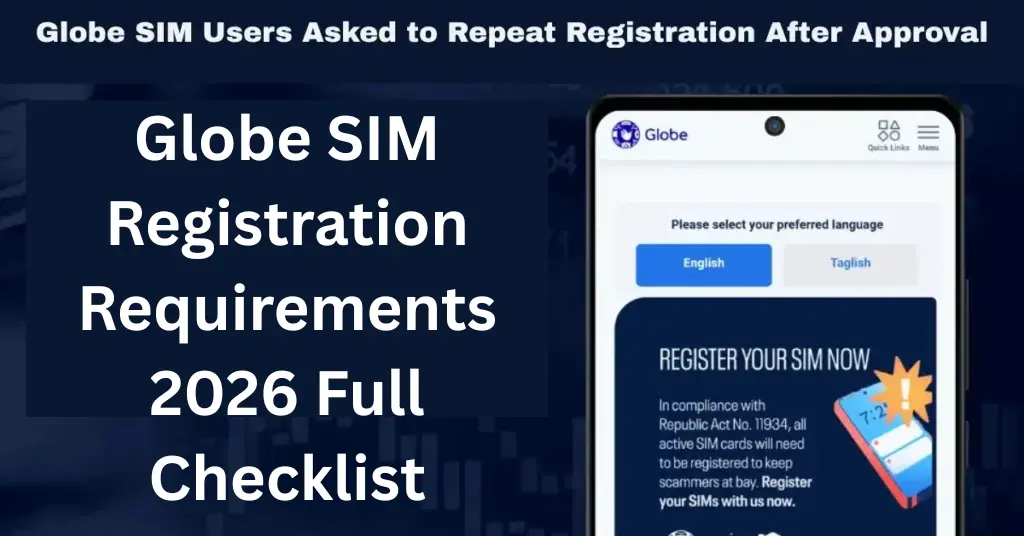
Globe SIM Registration Requirements 2026 Full Checklist registration is a required process for mobile users in the Philippines. Whether someone is using a new Globe prepaid SIM, TM SIM, Globe At Home Prepaid WiFi SIM, or other supported Globe service, the SIM must be registered with correct personal information and valid identification. Globe’s official SIM registration guide requires users to provide personal details, upload a valid government ID, take a selfie, agree to the privacy notice, and submit the form online.
For beginners, the most important thing is preparation. If all requirements are ready before starting, the registration process becomes much easier and faster. This guide explains the full Globe SIM registration requirements checklist for 2026, including personal details, accepted IDs, selfie rules, foreign national requirements, minor registration, and common mistakes to avoid.
Globe SIM Registration
Globe SIM Registration Guide for Beginners registration is the process of linking a SIM card to the verified identity of its user. This requirement comes from the SIM Registration Act in the Philippines, which requires SIM cards to be registered before activation. Globe explains that users must provide valid personal information and a government-issued ID or similar document with a photo to verify identity. The main purpose of SIM registration is to reduce scams, spam messages, fake accounts, and mobile-related fraud. It also helps protect services connected to a mobile number, such as OTP verification, mobile banking, e-wallets, delivery apps, online accounts, and communication services.
Globe SIM Registration Requirements Checklist 2026
These are the basic details needed for most Globe SIM users. Globe’s registration guide specifically requires name, birthday, gender, address, nationality, selfie, and valid government ID upload.
During registration, users must enter their personal details carefully. These details should match the information written on the valid ID. The required information usually includes full name, date of birth, gender, complete address, and nationality.
Typing errors can cause registration problems. For example, if the name on the ID is “Juan Dela Cruz Santos,” the same format should be entered in the registration form. Avoid nicknames, missing middle names, or incorrect birth dates.
A valid government-issued ID is one of the most important requirements for Globe SIM registration. Globe lists IDs allowed under the SIM Registration Act, including passport and driver’s license, and advises users to use a PVC-type ID when possible because paper-type IDs or IDs with printed photos may not be accepted.
Requirements for Foreign Nationals
Globe SIM registration also requires a selfie. The selfie helps confirm that the person registering is the same person shown on the uploaded ID. Globe has also stated that its SIM registration platform uses tools such as Optical Character Recognition, data-matching, and a mandatory selfie requirement to help prevent fraudulent submissions. Foreign nationals using Philippine SIM cards must also register.
To take a proper selfie, use good lighting, face the camera directly, remove sunglasses or face coverings, and avoid blurry photos. A simple plain background is better because it makes the face easier to verify. Minors can use SIM cards, but the registration must be under the name of a parent or legal guardian. Globe clearly states that SIMs for minors must be registered under the parent or legal guardian’s name.
Foreign residents, workers, or students may need additional documents depending on their stay status. It is best to prepare passport details, visa documents, local address proof, and any official document showing legal stay in the Philippines
The parent or guardian should provide their own valid ID, selfie, and personal details during registration. This helps ensure that the SIM has a responsible registered owner. Globe states that all foreign nationals must register their SIMs. For tourists, the registered SIM is valid for 30 days and will automatically deactivate after that period. Tourists need a passport bio-page and current visa stamp, proof of address in the Philippines, and a return ticket to their country of origin or another destination.
File Size and Upload Checklist
Many registration issues happen because of simple errors. Avoid using fake websites, uploading unclear ID photos, entering a wrong mobile number, using expired IDs, submitting mismatched details, or taking a selfie with poor lighting.
Also, do not buy or sell registered SIM cards. Globe has warned that selling or purchasing registered SIMs is illegal and may result in penalties under the SIM Registration Act.
When uploading documents, make sure the file is not too large. Globe’s guide for Home Prepaid WiFi registration notes that uploaded images should not exceed 4 MB, and users may adjust camera settings or take a screenshot if needed.
Final Words
Globe SIM registration requirements in 2026 are simple if users prepare everything before starting. The full checklist includes an active Globe number, accurate personal details, a valid government-issued ID, a clear selfie, and access to the OTP sent to the mobile number. Users should make sure all details match their ID to avoid delays or failed registration.
Completing Globe SIM registration keeps the number active, secure, and ready for everyday use. It also protects access to calls, texts, mobile data, OTPs, e-wallets, banking apps, and online accounts. For a smooth experience, always register only through Globe’s official channels and keep the registration reference number after submission.


